


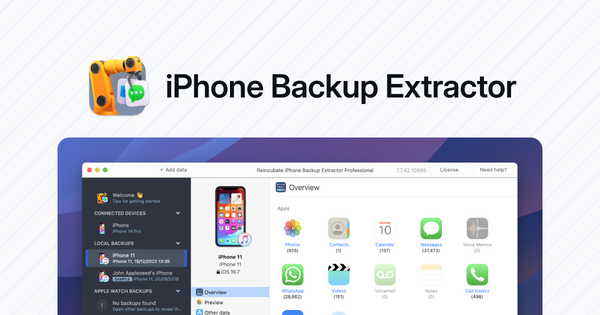
iPhone Backup Extractor can extract files from iPhone backups and iCloud for your iPhone, iPad, or iPod Touch data. It works with all versions of iOS, and any mobile Apple device.
Our product page explains the details, but we've included a summary below to get you started.
Key features of iPhone Backup Extractor
- Free edition which lets you fully navigate, preview and extract files from your backups
- Easy export of Apple's integrated apps: call history, Safari, notes, contacts, voicemail, recordings, iCloud Photo Library, iCloud PhotoStream
- Support for the messaging apps you use: iMessage, SMS, MMS, WhatsApp, Kik, Hike, Line, Viber, WeChat
- Support for all sorts of third-party apps -- Tinder, Viber, etc. -- and thousands of others through our industry-leading "App View" and "Expert Mode"
- Easy-to-use drag and drop support throughout the app
- Exports of forensically sound data in handy formats: VCard, VCF, ICal, and beautiful PDFs
- Forensics grade data undeletion (Don't believe us? Try it!)
- Support for encrypted iTunes backups and all their data
- Support for iCloud data
- Support for Apple Watch data
- Automated recovery of forgotten Screen Time passcode / restrictions PIN
- Backup editing and data restoration
- Built in London, England, and recognised by HM Queen Elizabeth Ⅱ.
- Proudly supported by a fanatical support team, leading Trustpilot to rate us in the top 10 most loved software companies in the UK. Why not send us an email or drop us a chat message?
Supported data
Reincubate iPhone Backup Extractor supports data directly from a number of Apple and third-party apps.
Supported Apple data
- Messages (including iMessage, SMS and MMS)
- Photos & videos
- Contacts
- iPhone backups (from Finder, iTunes, or any other backup)
- iCloud
- Screen Time passcode / Restrictions PIN
- Apple Watch data
- Notes
- Call history
- Safari browser history
- Voicemail
- Recordings
Supported third-party data
- Kik
- Viber
- Tinder
Additional third-party data
iPhone Backup Extractor also supports a huge number of additional third-party applications via its "App View" and "Expert Mode" functions, recovering data from both iPhone backups and iCloud.
Compatibility
Windows and macOS
iPhone Backup Extractor runs on any modern Mac (macOS 10.11 or newer) and any modern PC (Windows 7 SP1 or newer).
iOS
iPhone Backup Extractor works will all versions of iOS, and all iOS devices including iPhones, iPads, and the iPod Touch.
iCloud
| Status | Notes |
|---|---|
| ✅ | Real-time iCloud data OK for all iOS versions, with or without 2FA. |
| ⚠️ | iCloud backup data retrieval not possible as of May 2020, following Apple's Q4 2018, Q3 2019 and Q2 2020 changes. There are two alternatives:
|