



iPhone Backup Extractor
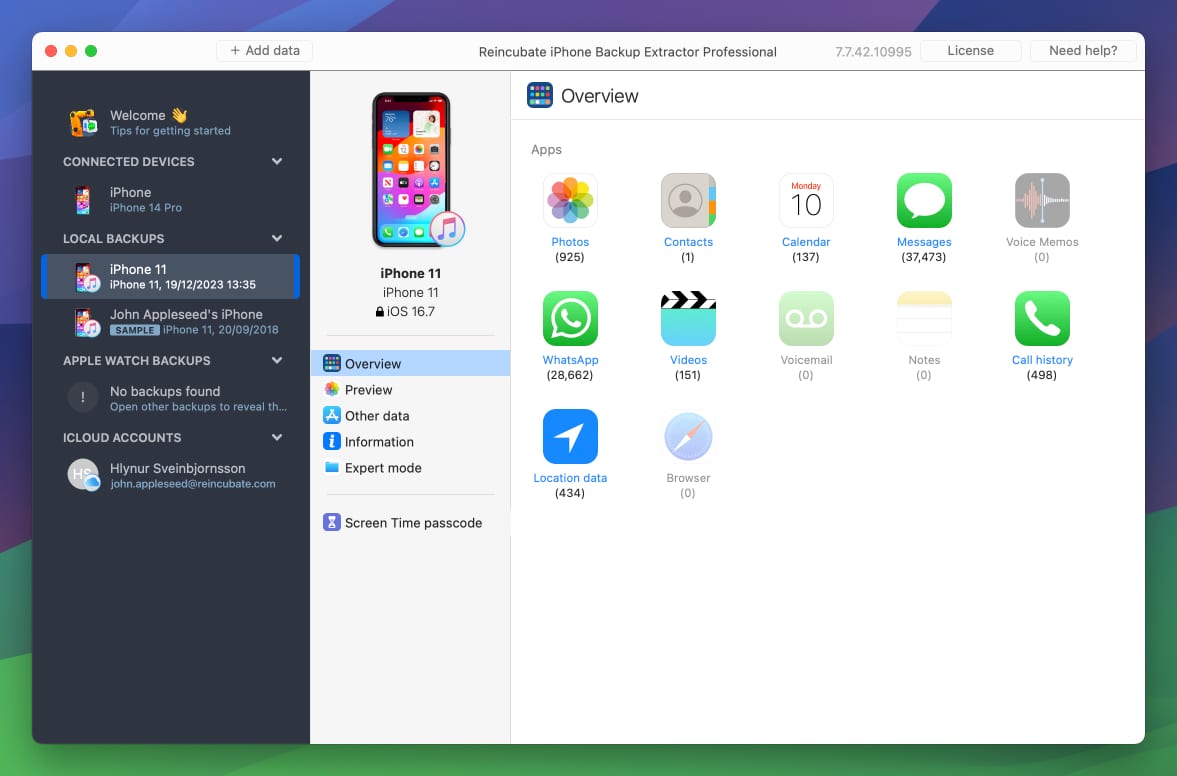
Extract, transfer and recover messages, photos, contacts and more. Recover deleted content from iPhone backups and iCloud. Remove lost Screen Time passcodes and more.
Supports every iOS device
iPhone 18 Pro and every earlier iPhone, plus iPad and iPod touch.
Supports every iOS & beta
iOS 27 and every earlier version. We started with iOS 1.
No recovery drama
We were first to support iCloud, encrypted and corrupt backups.

Messages

Photos

Videos

Contacts

Notes

Calendar

Voice memos

Call history


Viber


kik

Safari

Screen Time

Location data

And more...
Recover Data
Rescue your favourite memories
Recover lost or deleted iPhone data from your favourite apps, including messages (iMessage, SMS, WhatsApp, etc.), contacts, photos, videos, notes, and more.
Explore Backups
Always in the last place you look
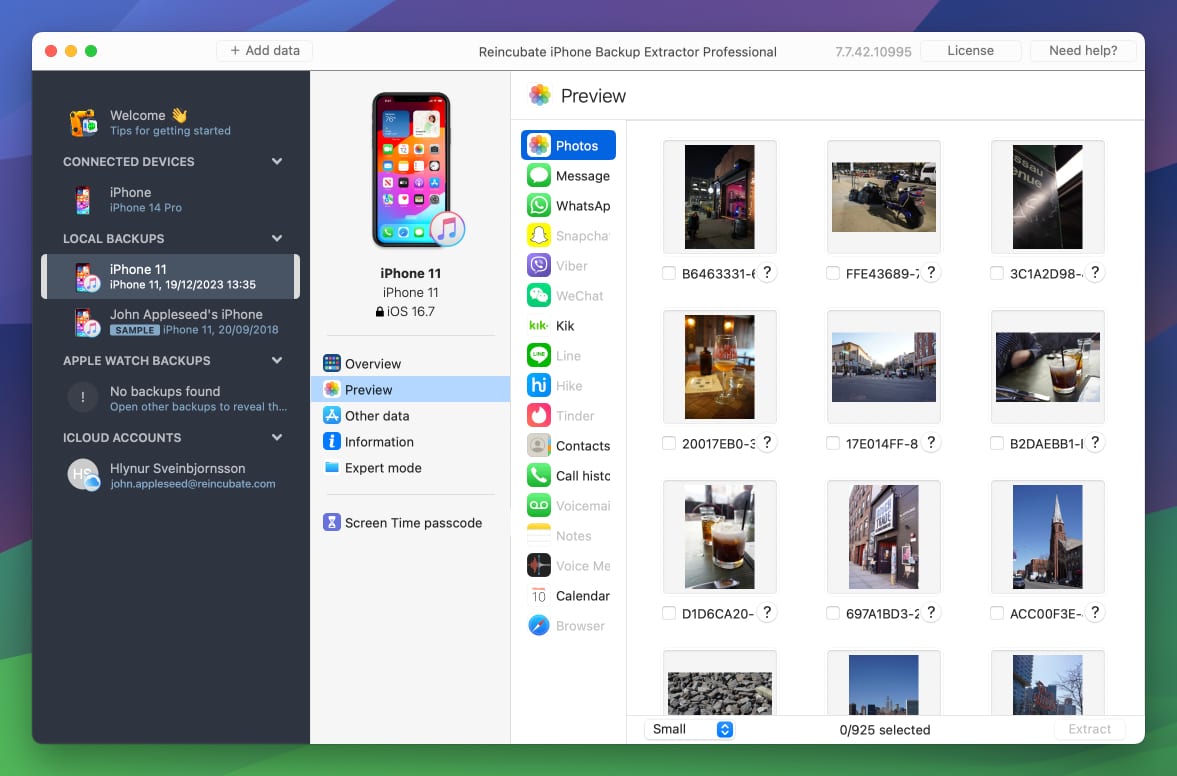
Preview your data with rich visualisations. Find exactly what you're looking for and export in PDF, HTML, iCal, VCard or CSV format.
Manage Devices
Take control of your devices
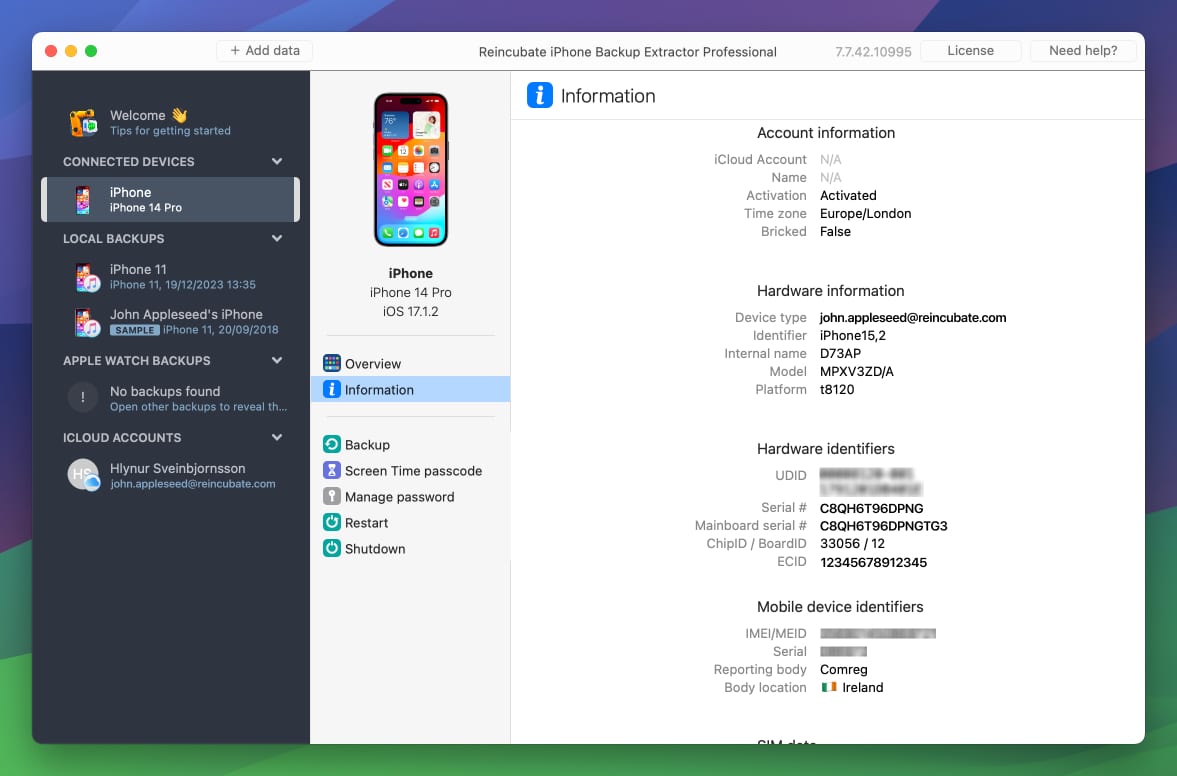
Remove forgotten Screen Time passcodes, get information on warranty and place of manufacture, backup your device, edit backups, and manage backup passwords.
About
Lost or broken your iPhone or iPad? Deleted something important? Failed iOS update? Corrupted backup? iPhone Backup Extractor gives you unrivalled support to access, transfer and recover iOS backup data.
iPhones restore entire backups at a time, overwriting any newer data you have: we let you see what's in your backup and recover files without a full restore.
Governed by the toughest data laws in the world, and recommended by some Apple Geniuses. Trusted around the world. Reincubate is a values-led, British business with royal recognition.
iPhone Backup Extractor runs on your PC or Mac, and supports device access over USB, and reads data from iPhone, Finder and iTunes backups.
What our users say
We've won Britain's highest business honour, the King's Award for Enterprise, and helped over 10,000,000 users in the last decade.
Miss dlb
After losing all my data on my iPhone 7, due to an encrypted backup in which I didn't not set an encryption key, I cried for days having lost 25,000 photos, all my contacts, voice memos, notes, etc. I reread the Reincubate article. I had read it the first night, but by this time I became desperate enough to reach out. They were able to work with me to recover the password and I was able to restore my data!
Ivana St
Today I thanked God for giving mind to the people who created this program! Thanks to you, I had tears of happiness! All my 33,000 photos have been restored. THANK YOU FROM THE SINCERITY!!! With love from Ukraine!
Regine S.
I lost 10 years of some incredibly important and emotionally significant info when I changed over from an iPhone 11 to a 13Pro and the app that I had been using all these years suddenly disappeared and was nowhere to be found. Contacting Apple was a TOTAL waste of time. I saw the Reincubate program advertised when trying to find a way to get the data back, and man oh man, apparently EVERYTHING could be done!
Pricing
Just browsing? Or looking for a powerful tool to help with your iOS data needs? Choose the edition of iPhone Backup Extractor that's right for you.
Explore and preview
Free
Try the app, preview and explore your data, at no cost.
- Recover 4 backup files
- Extract 4 encrypted backup files (backup password required)
- Preview all backup files
Unlock all features
Full access to all functionality to manage your data and devices.
- Recover unlimited backup files
- Full encrypted backup support (backup password required)
- Preview all backup files
- Access iCloud Photo Library
- Apple Watch data recovery
- Reset Screen Time passcode
30-day money back guarantee
Business edition
All features, for your team or commercial operation.
- Commercial license
- Priority expert support
- Activate on up to 5 computers
FAQ
Which apps are supported?
Reincubate iPhone Backup Extractor supports data directly from a number of Apple and third-party apps, including Messages (iMessage, SMS and MMS), photos & videos, contacts, iPhone backups, iCloud, Screen Time passcode, Apple Watch data, notes, call history, Safari history, voicemail and recordings. Third-party data includes WhatsApp, Kik, Viber, WeChat and Tinder. It also supports many more apps via its App View and Expert Mode functions.
Is iPhone Backup Extractor free?
iPhone Backup Extractor is available in both free and paid editions. The free edition lets you recover any file or data from an iPhone or iPad backup, but only four files at a time. You can recover all of your files by going through them four at a time if you need, though.
Does it support Windows or Mac?
iPhone Backup Extractor runs on any modern Mac (macOS 10.11 or newer) and any modern PC (Windows 7 SP1 or newer).
Can you recover data from an iCloud backup?
iCloud backup data retrieval is not possible as of May 2020, following Apple's changes. There are two alternatives: our support team can guide you through creating a temporary iTunes backup as a workaround, or you can use real-time iCloud data by choosing the account from the left-hand navigation in iPhone Backup Extractor.
How do I use iPhone Backup Extractor?
Check out the iPhone Backup Extractor product manual for guidance on how to get started with the app. This runs you through installation and, if you opt for the paid edition, activation. Once set up, read our tips for navigating its interface and exploring available backups.
How can I find my iPhone backup files?
Where backups are stored depends on your platform. On macOS they are under
/Users/[USERNAME]/Library/Application Support/MobileSync/Backup, while on
Windows you'll find them under
\Users\[USERNAME]\AppData\Roaming\Apple Computer\MobileSync\Backup. It is also
possible to change the default folder.
Expert Guides
Our guides to help you make the most of our app
How to print text messages for use as evidence
We review the most important things you need to do when saving text messages as proof, and guide you through how to do it. It's important to get this right for evidence to be usable.
Read moreiPhone storage full? How to free space by removing Documents & Data
iPhone running low on space, or getting the 'Storage almost full' message? We show you how to free up space by removing documents and data, and other data-saving tips.
Read moreHow to back up an iPhone: three simple ways
Backing up your iPhone or iPad is simple and free. This article takes you through 3 methods for backing up using iTunes, Finder and iPhone Backup Extractor.
Read moreDownloads
Download the app for your platform
iPhone Backup Extractor is equally at home and ready to help on your Windows PC or Mac.
Ready to see for yourself?
See what data iPhone Backup Extractor can uncover, recover, or extract for you today.