Panoramica di Camo
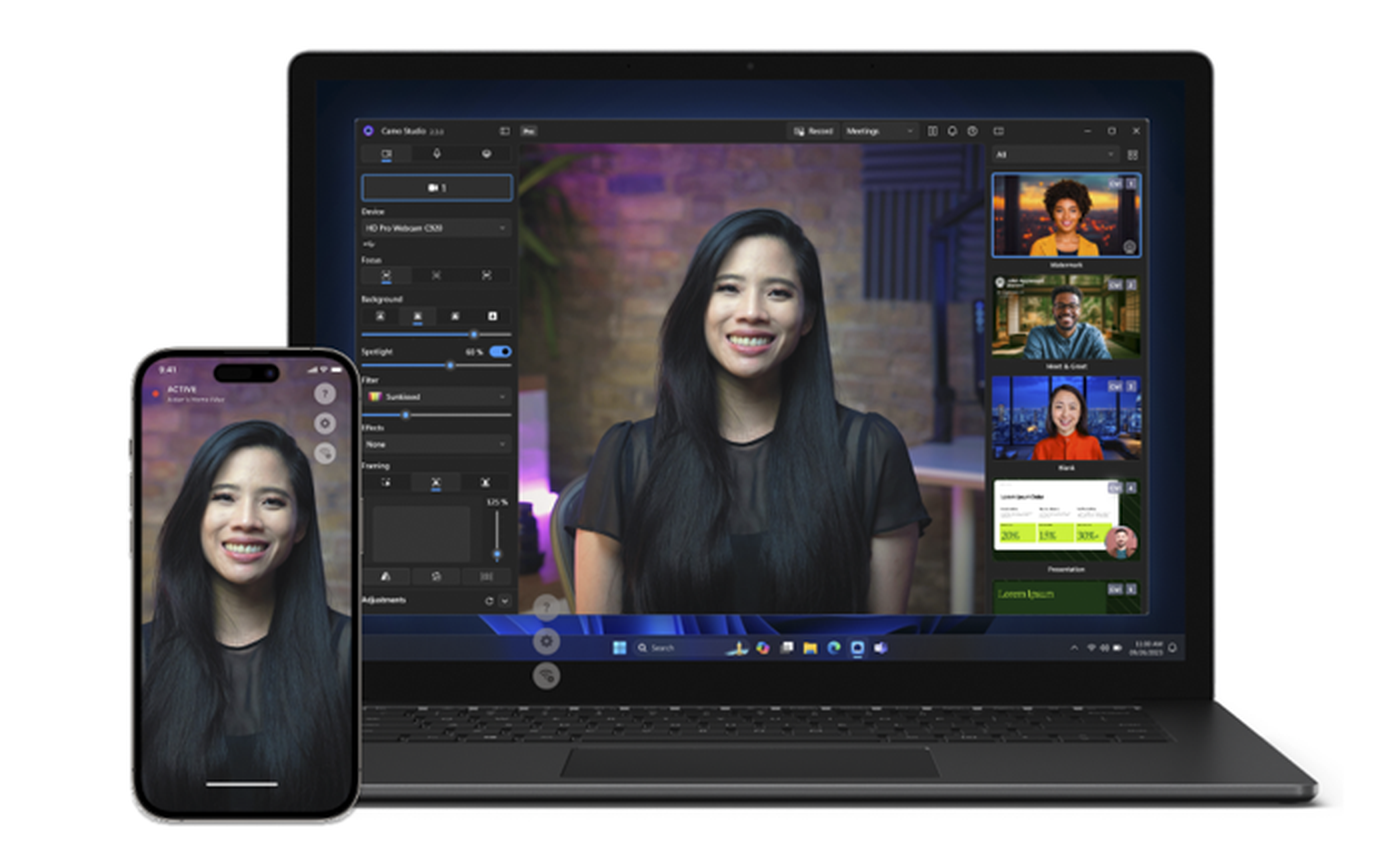
Camo is an app for meeting, recording or streaming with the absolute best video you can, using whatever device you choose. It began by enabling users to pair the advanced cameras on their phone with their Mac or PC. Now it works its magic with any device on the iOS, iPadOS, Android or Vision platforms, as well as any connected camera - including webcams, DSLRs, mirrorless and built-in cameras.
Per saperne di più su Camo e le sue funzionalità, controlla la pagina del prodotto Camo .
The core component of Camo is Camo Studio, the central interface where users can view, customise, refine and then record or stream the video captured on their device. For those using their phone, iPad or Vision Pro as a camera, there’s also a companion mobile app called Camo Camera.
Camo vs Camo Pro
Tutte le funzionalità di Camo sono disponibili nell'edizione gratuita, comprese modalità di sfondo ottimizzate come Ritratto e Sostituisci, controlli intuitivi per l'inquadratura e la regolazione dell'immagine, sovrapposizioni, filtri e molto altro. È il modo più semplice per aggiornare il tuo video per riunioni, registrazioni e streaming.
Camo Pro sblocca risoluzioni video di 1080p (HD) e superiori, incluso 4K (UHD). Se stai cercando di creare contenuti di alta qualità o desideri che il tuo video sia quanto più nitido e professionale possibile, allora Camo Pro è ciò di cui hai bisogno. Per ulteriori informazioni, consulta la pagina dei prezzi di Camo .
Compatibilità
Computer
Camo Studio is compatible with any macOS computer running macOS 12.3 or newer, and any PC running Windows 10 or later. Releases for earlier versions of macOS going back to 10.13 and Windows going back to Windows 7 [64-bit] are available - please contact our support team for more information.
Telefoni
Camo per iOS è compatibile con qualsiasi iPhone, iPad o iPod Touch con iOS 12 o versioni successive. Camo per Android è compatibile con qualsiasi telefono con Android 7 o versioni successive. Puoi leggere ulteriori informazioni sulla compatibilità dei dispositivi e delle funzionalità qui .
Webcam e telecamere connesse
Piuttosto che cercare di elencare le centinaia di dispositivi che funzionano con Camo Studio, preferiamo dire che se puoi collegare una fotocamera al tuo PC o Mac, Camo lo supporta. Ciò significa webcam regolari e dispositivi integrati, monitor con fotocamere integrate, fotocamere DSLR e mirrorless, ingressi da schede di acquisizione e dongle HDMI, action cam, altre fotocamere virtuali software e praticamente qualsiasi altra cosa.
Altre app e piattaforme
Molte popolari app di videochiamate e streaming come Zoom, Google Meet e Twitch sono compatibili con Camo. Se utilizzi Zoom, Camo richiede Zoom 5.0.5 o versioni successive. Per ulteriori informazioni, dai un'occhiata al nostro elenco di app testate .
di MaxKo
Thank you so much for this impressive free software! Do you have support for Ubuntu 20.04 and if yes, how? And on Android phones, is full HD (1080p) available already in the free version?
risposta di: Reincubate Support
Thank you! Yes, 1080p is available on Android phones that are capable of it. We don't have Ubuntu / Linux support just yet, but we are evaluating it.
di Matthew A Batchelder
Camo's the only app that still works with iOS 12.5
Can I connect two phones at once?
risposta di: Reincubate Support
Hey Matthew. You can, though Camo only shows output from one at a time. You can switch between them in Studio. 🙂
di Alex
Guys, your software rocks! I tried so much softwares that pretended to work as good as yours. But after all, Camo is the only winner!
di Mark Lyons
Good afternoon! Camo is an awesome app ... thank you! How do I use the front camera on my iPhone? I can't seem to find any selector to use either front or back camera. Thank you, Mark
risposta di: Reincubate Support
Hi Mark, thank you! You can do that using the
Lensselector in Camo Studio. See here.di Morel
Impossible de télécharger l'appli avec Apple Store
risposta di: Reincubate Support
Oh no! Here's the App Store link. If that doesn't work, please search for "reincubate camo" in the App Store. 🙂