


iPhone Backup Extractor 免费下载
我们的应用仅可在台式电脑上运行,但我们很乐意通过邮件给你发送链接,方便你回到 Mac 或 PC 后下载。
恢复数据的方法:
- 1在上方输入你的电子邮件地址
- 2你很快会收到一封邮件,介绍如何在电脑上安装
- 3在电脑上按照邮件中的说明安装 iPhone Backup Extractor
- 4开始浏览并恢复你的数据
下载免费版或立即购买
看看用户怎么说
Miss dlb
After losing all my data on my iPhone 7, due to an encrypted backup in which I didn't not set an encryption key, I cried for days having lost 25,000 photos, all my contacts, voice memos, notes, etc. I reread the Reincubate article. I had read it the first night, but by this time I became desperate enough to reach out. They were able to work with me to recover the password and I was able to restore my data!
Ivana St
Today I thanked God for giving mind to the people who created this program! Thanks to you, I had tears of happiness! All my 33,000 photos have been restored. THANK YOU FROM THE SINCERITY!!! With love from Ukraine!
Regine S.
I lost 10 years of some incredibly important and emotionally significant info when I changed over from an iPhone 11 to a 13Pro and the app that I had been using all these years suddenly disappeared and was nowhere to be found. Contacting Apple was a TOTAL waste of time. I saw the Reincubate program advertised when trying to find a way to get the data back, and man oh man, apparently EVERYTHING could be done!
感谢你下载我们的软件!
- 选择我们的任一方案,几分钟内即可开始使用 iPhone Backup Extractor。
- 先下载免费版熟悉一下,需要时再升级。
- 选择付费版,即可从所有 iOS 设备的 iTunes 备份和 iCloud 中提取全部文件和数据。
- 我们很乐意帮你恢复数据。如果遇到问题,请联系我们的支持团队。
30 天退款保证
安装说明
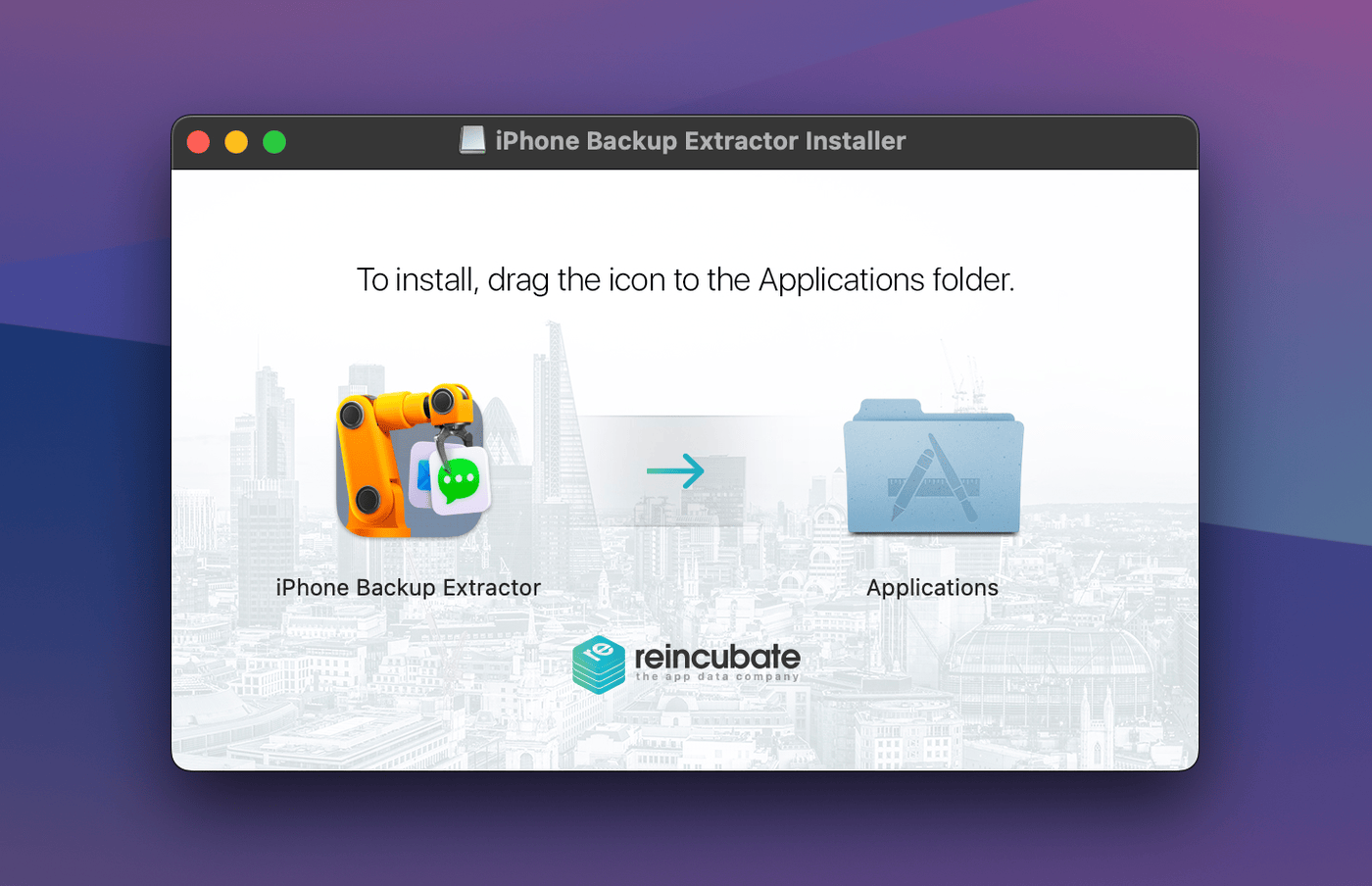
1将 iPhone Backup Extractor 图标拖到“应用程序”文件夹
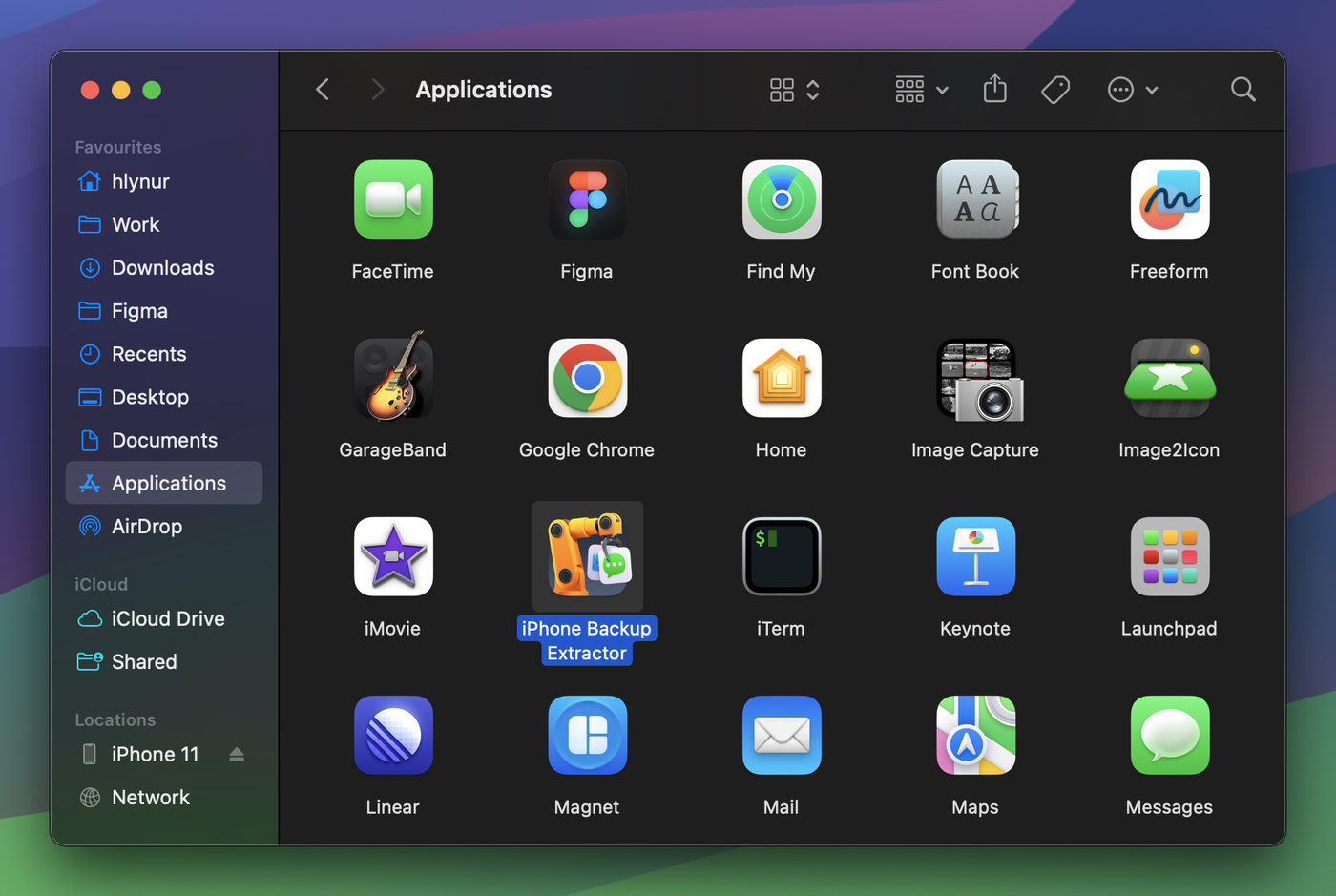
2从“应用程序”文件夹启动软件
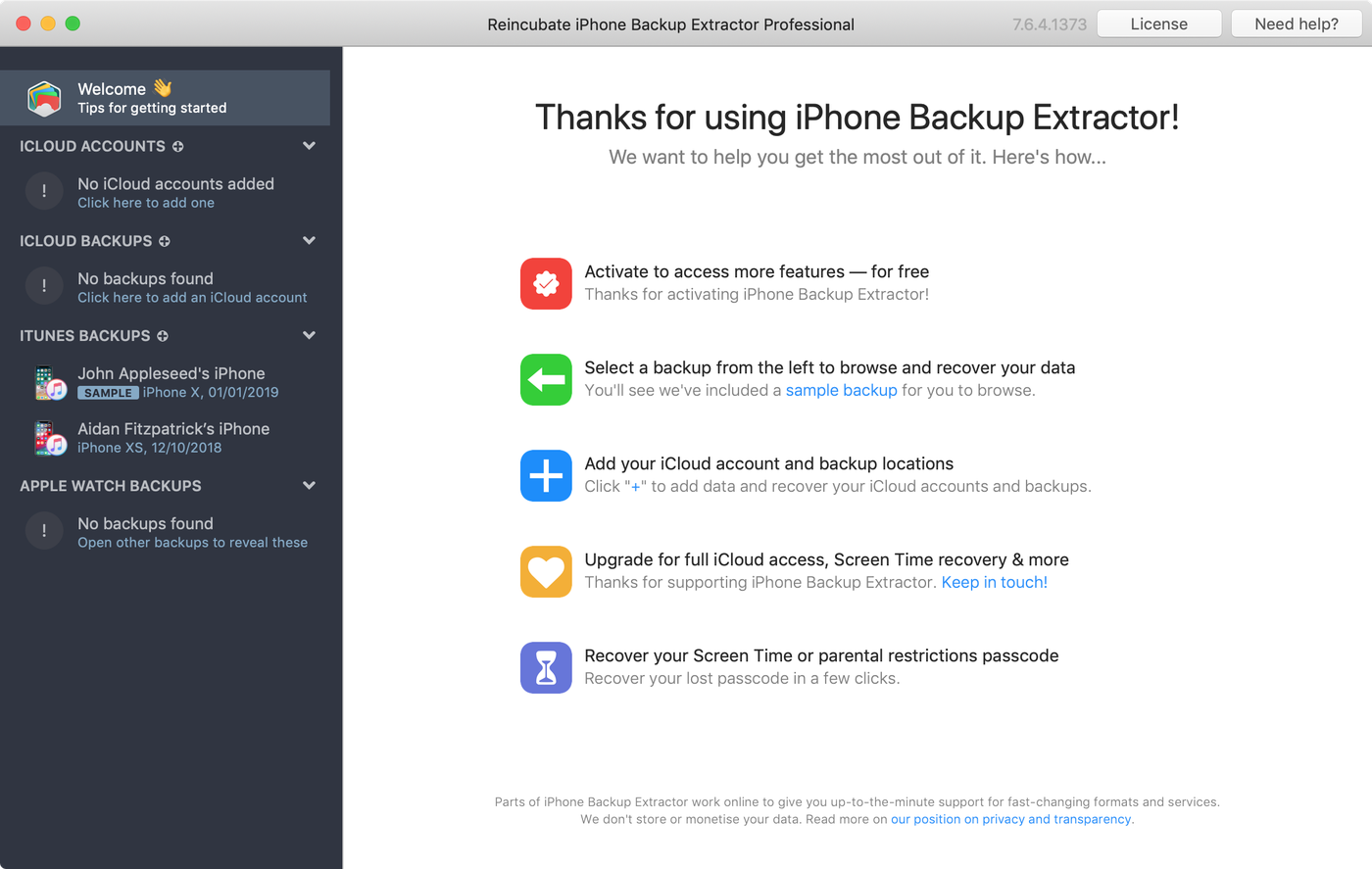
3iPhone Backup Extractor 在你的 Mac 上读取 iTunes 备份和 iCloud
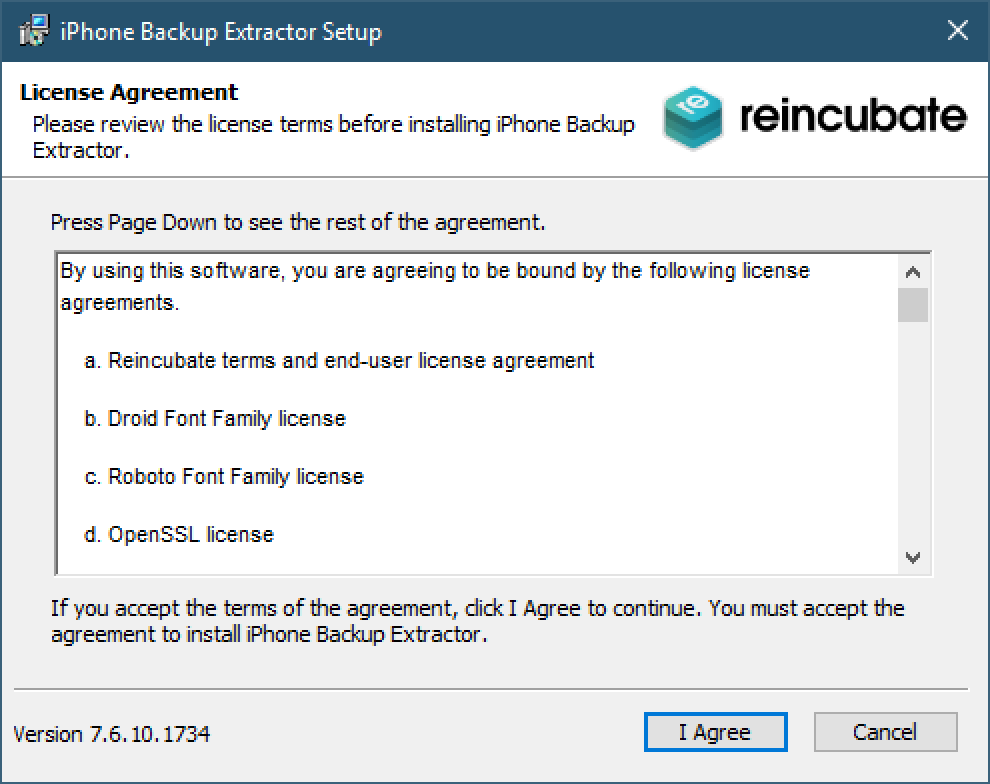
1按照安装向导安装软件
2iPhone Backup Extractor 在你的 PC 上读取 iTunes 备份和 iCloud
隐私、安全与信任
我们总部位于英国,受全球最严格的数据保护法律约束。我们非常重视隐私和安全。
用户将 Reincubate 评为英国最受欢迎的软件公司之一。查尔斯三世国王以英国企业最高荣誉 King’s Award for Enterprise 表彰了我们的工作。
准备好用你的 iPhone 试试了吗?
兼容 Mac 和 Windows PC